ESA for Microschools
If you run a microschool or learning pod, Education Savings Account (ESA) funds are a fast-growing way to get paid. Here’s how Microschools register as vendors, what you can bill, and where to start by state.
Rules last verified July 2026. Rules differ by state — verify with your state’s official ESA program. Not legal advice.
Direct answer: many programs include microschools, but approval is state-specific
The GetESAPaid rules engine currently has 12 state records that explicitly name this provider surface. That makes ESA funding a real channel to investigate, not a blanket promise that every microschool, offering, student or transaction qualifies. Start with the state program, category and primary source; then verify the business, rendering provider, service or item, authorization and payment path.
How Microschools get paid with ESA — the basic flow
- Identify the student’s program, provider category and current official source.
- Qualify the business, rendering provider and specific service or item; complete required approval and onboarding.
- Transact through the payment option the current program provides, using the requested invoice, order or fulfillment evidence.
- Reconcile the approved amount to the settlement and keep a privacy-conscious approval-to-payout record.
What Microschools can bill depends on the named category
A broad expense label is not a transaction decision. Check whether the category covers the exact service or item, whether the provider and rendering person qualify, whether the student or award can use it, whether authorization or pre-approval is required, and which evidence the selected payment path requests. Use specific, truthful descriptions; do not add a subject, credential, diagnosis or code that the underlying service and program do not support.
Review before submission
Build a compliant, itemised invoice for your state in minutes — and catch the fields that get invoices bounced before you submit.
Why Microschools invoices get rejected (and how to avoid it)
There is not yet a sufficiently sampled public dataset proving one national “number-one” failure reason. The patterns below are pre-submission checks, not prevalence claims, and the current program’s return message controls any real correction:
- A description that does not identify the service or item at the level the selected category requires.
- Missing service dates, or a total that doesn’t add up to the line items.
- No provider credential or license where the service requires one.
- The wrong document for the payment path—for example, an invoice where proof of payment is requested or a receipt where an itemized bill is requested.
- Categories or items combined in a way the current program workflow does not support.
Staying audit-ready as a microschool
A program can request transaction or provider evidence, so keep the exact submitted invoice, a matching service or fulfillment record, the authorization or educational-purpose evidence the program asks for, and any required credential. Microschools who keep these as they go avoid reconstructing the payment story later. Use the audit-ready ESA records checklist for approval, correction, privacy, payout and retention guidance.
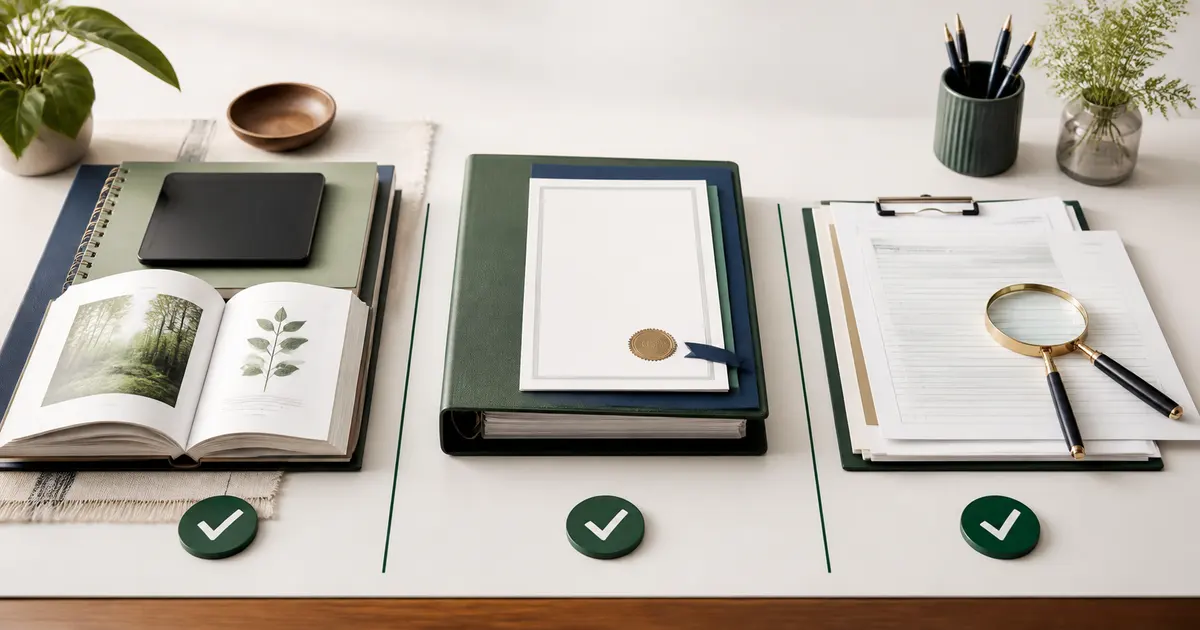
Six visual checks
The Microschools evidence workflow in six visuals
Use these as a sequence: verify the source, pass every eligibility layer, confirm the expense, assemble the packet, follow the transaction status, then match the deposit. Each visual summarizes a separate decision and the official program still controls.




ESA for Microschools by state
Each state runs its program differently. Pick yours for the exact registration steps, payment rail, deadlines and invoice fields for Microschools:
Texas
Odyssey
Microschools in Texas →
Arizona
ClassWallet
Microschools in Arizona →
Florida
Step Up For Students
Microschools in Florida →
Iowa
Odyssey
Microschools in Iowa →
Utah
Odyssey
Microschools in Utah →
Arkansas
ClassWallet
Microschools in Arkansas →
Tennessee
ClassWallet
Microschools in Tennessee →
West Virginia
ClassWallet
Microschools in West Virginia →
North Carolina
ClassWallet
Microschools in North Carolina →
Indiana
ClassWallet
Microschools in Indiana →
New Hampshire
ClassWallet
Microschools in New Hampshire →
Louisiana
Odyssey
Microschools in Louisiana →
Primary-source map for microschools
These links are the nearby evidence behind the state surfaces above. A link confirms the official program starting point; it does not replace the current category page, handbook, portal instruction or account-specific agreement.
- Official Education Freedom Accounts (TEFA) source
Texas · Odyssey · provider record includes microschools
- Official Empowerment Scholarship Account (ESA) source
Arizona · ClassWallet · provider record includes microschools
- Official Family Empowerment Scholarship (FES) source
Florida · Step Up For Students · provider record includes microschools
- Official Students First Education Savings Accounts (ESA) source
Iowa · Odyssey · provider record includes microschools
- Official Utah Fits All Scholarship (UFA) source
Utah · Odyssey · provider record includes microschools
- Official Education Freedom Accounts (EFA) source
Arkansas · ClassWallet · provider record includes microschools
- Official Education Freedom Scholarship (EFS) source
Tennessee · ClassWallet · provider record includes microschools
- Official Hope Scholarship source
West Virginia · ClassWallet · provider record includes microschools
- Official Education Student Accounts (ESA+) source
North Carolina · ClassWallet · provider record includes microschools
- Official Education Scholarship Account (ESA) source
Indiana · ClassWallet · provider record includes microschools
- Official Education Freedom Account (EFA) source
New Hampshire · ClassWallet · provider record includes microschools
- Official LA GATOR Scholarship Program source
Louisiana · Odyssey · provider record includes microschools
Microschools + ESA FAQ
Can Microschools accept ESA funds?
Many state ESA and school-choice program records include Microschools, but the answer is program- and transaction-specific. The business, rendering provider, service or item, student and payment path may each require separate verification.
How do microschool owners get paid with ESA?
Start with the student's named program and its provider category. Complete required approval and onboarding, use the transaction path shown in the current portal, submit the requested invoice, order or fulfillment evidence, and reconcile the approved amount to the bank deposit.
Do Microschools need to register before billing ESA?
Many programs require provider approval or marketplace onboarding, but the exact gate differs. A national payment-platform account does not automatically establish approval in every state or for every service.
Which states include Microschools?
12 current state records in the GetESAPaid rules engine explicitly name this provider surface. Use the official-source links below because categories and qualifications can change.
How to become an ESA vendor (all states) → · ESA terms explained →